Boxed
Ammunition Log


Boxed
Ammunition Log
|
|
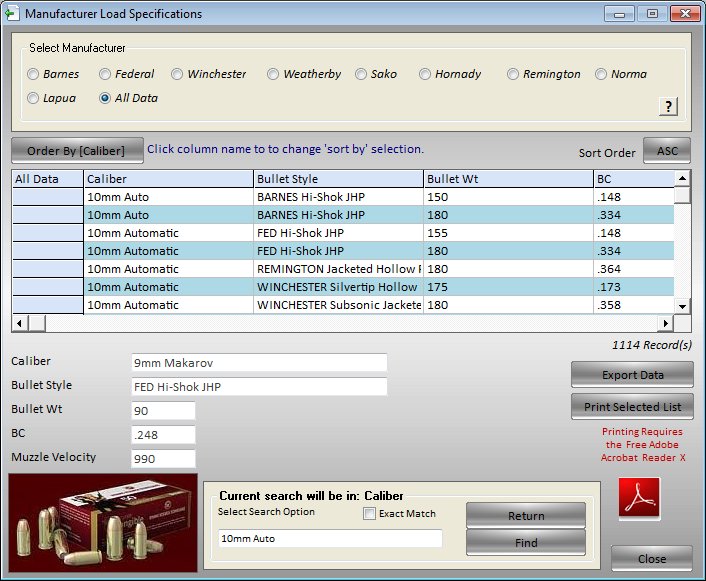
The Factory Data Tables offer data for many of the manufacturers.
This data can be used for calculations on boxed ammo or in Quick Compare to compare the boxed ammo with your "super loads".
To open the Factory Load database select Manufacturer Load Database from the Log Menu or press your Shift, Ctrl and F12 keys simultaneously. Select the manufacturer from the listed manufacturers by clicking on one of the selection boxes. You can scroll down the table to find the load you want or you can have the program search for you.
To use the search feature click on a field name to search by, by clicking on one of the field names listed at the top of the table..ie. caliber, bullet style, bullet wt. etc. In the find text box type in your text or number to search for. You can use wild cards as well. Examples would be .17 Remington or *Remington or *Rem* or .17* or *17*. The * would be a wildcard and denotes any text or number.
Click on the Find Button.
Any records matching your search criteria will be displayed in the database window.