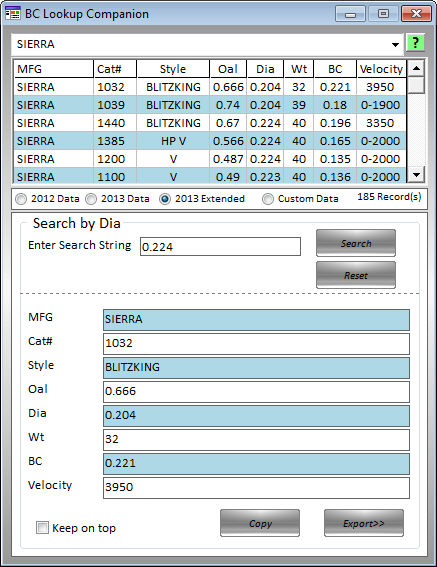
The
BC lookup tool allows you to open and keep open the new BC Lookup
window.
From
this window you can lookup and view BC values for any of the built
in tables
or
from any of those you have created yourself.
To
search for a value click the Data Grid in the column you want to search
by
for
example click Wt and enter 100 for your search string will search
for all those
bullets
that weigh 100 grs.
To
export the values click the export button. if the window you have
open can
receive
the data it will be exported for you automatically. If the window
cannot
receive
the data you can copy and past manually or click the copy button
and
paste into the appropriate box.
Beginning
with Ballistic Basics 2013, Bullet BC data will now contain Extended
data over previous versions.
I
have added Cat# (catalog number), Diameter and velocity to the database.
If the data is available when
I
add the new BC each tear, I will add it to the record.